

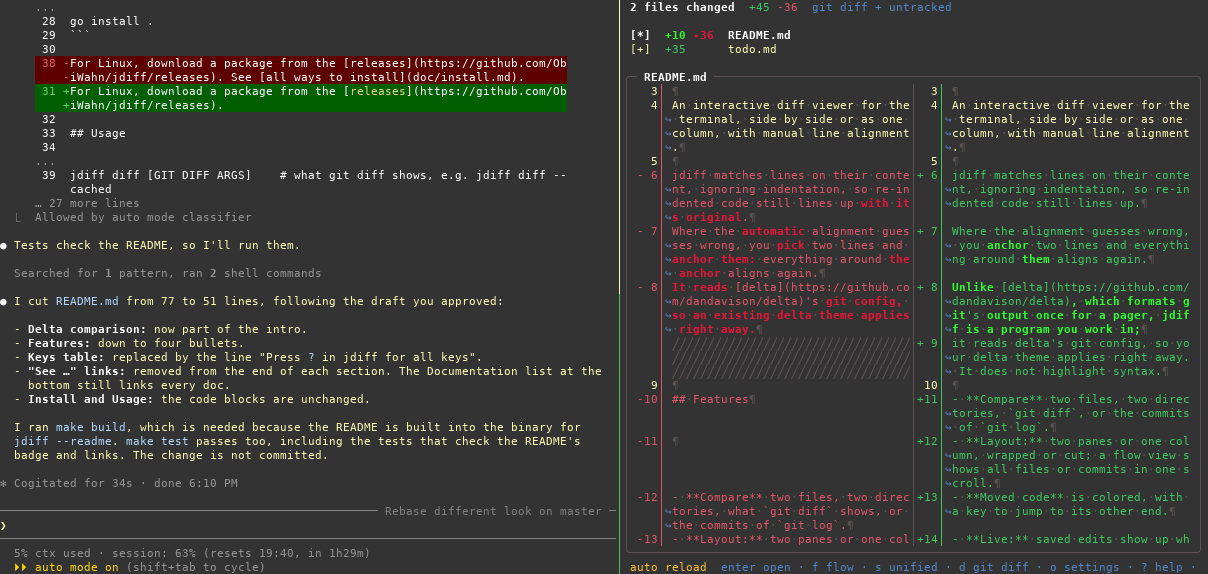
An interactive diff viewer for the terminal, with manual line alignment, that you keep open while you work: it lays the diff out again whenever the terminal is resized, and shows your saved edits without leaving it.
jdiff matches lines on their content, ignoring indentation, so re-indented code still lines up with its original. Where the automatic alignment guesses wrong, you pick two lines and anchor them: everything around the anchor aligns again. It reads delta's git config, so an existing delta theme applies right away.
- Compare two files, two directories, what
git diffshows, or the commits ofgit log. - Layout: two panes or one column, wrapped or cut, switched while you look at the diff and laid out again on resize.
- Context: fold and unfold unchanged code.
- Flow view: all files of a diff, or all commits of the log, in one scrollable view.
- Moved code: colored, with a key to jump to its other end, also in another file.
- Live: saved edits show up while jdiff is open; anchors, folds and the cursor follow their lines.
- Search and jump marks: marks are kept per repository and survive restarts.
- Whitespace: only the added or removed part of an indentation is marked.
Unlike delta, which formats git's output once for a pager, jdiff is a program you work in. delta highlights syntax; jdiff does not. See all features and screenshots.
# macOS
brew tap ObiWahn/jdiff https://github.com/ObiWahn/jdiff.git
brew install --cask obiwahn/jdiff/jdiff

# Windows
scoop bucket add jdiff https://github.com/ObiWahn/jdiff
scoop install jdiff

# In a clone of this repository, with Go 1.26 or newer
go install .
For Linux, download a package from the releases. See all ways to install.
jdiff OLD NEW                 # compare two files
jdiff DIR1 DIR2               # compare two directories
jdiff log [GIT LOG ARGS]      # browse commits, e.g. jdiff log -20
jdiff diff [GIT DIFF ARGS]    # what git diff shows, e.g. jdiff diff --cached
See git aliases, difftool and more.
? shows all key bindings.
| Key | Action |
|---|---|
j k |
move |
enter |
open; in a diff, mark a line, then its partner: anchor |
backspace |
back |
space |
fold or unfold unchanged code |
n p, N P |
next, previous file, commit |
f |
flow view |
s |
side by side or one column |
/ |
search |
o |
settings |
q |
quit |
See all key bindings.